
If you have forgotten your Zoasis ID, you can contact your Antech sales rep to obtain that information. Alternately, you can request the information from Antech Customer Support at the following numbers: Antech West: 1800-745-4725 Antech East: 1-800-872-1001 Test Express: 1-888-397-8378 Antech Canada: 1-800-341-3440 You can retrieve your Zoasis Username and Password online, automatically, if your account is set up with a valid email address. From the User Login page, click on "Need your Username or Password?," as shown below. |
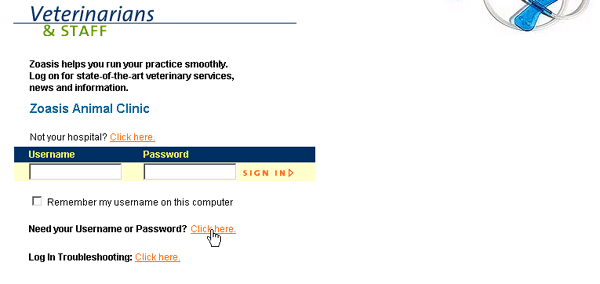 |
Next, enter either your e-mail address (if you’ve forgotten both Username and Password) or your Username (if you’ve forgotten your password only). If the e-mail address or Username matches one on file for your hospital, an e-mail will be sent containing login information. The e-mail will be sent to the e-mail address on file for your account. If the e-mail address or Username you supply does not match one on file for your hospital, you will not be able to retrieve your login information electronically. You can contact your Antech account manager for additional assistance. |
Back to Log-In Help |
